
What Is BI Software? A Guide for Singapore Businesses
Overview of Business Intelligence software for Singapore organisations seeking data-driven decision-making.
 Reviewed by Toi
Table of Contents
- 1What this article covers
- 2What BI software is
- 3Common core functions and terms
- 4How BI is used in companies
- 5The benefits of BI
- 6The limitations of BI
- 7How BI differs from related concepts
- 8Which companies are suited to adopting it
- 9How BI turns scattered data into decisions
- 10Common misconceptions when adopting BI
- 11Implementation considerations for BI
- 12BI and a data-driven culture
- 13Explore the products
- 14Key takeaways
BI software is a system for integrating data and producing dashboards and analytical reports. This article starts from the basics, explaining the core concepts of Business Intelligence software and how it is used by Singapore companies to support data-driven decisions, so a company evaluating it for the first time can build a basic understanding.
What this article covers
- What BI software is
- Common core functions and terms
- How BI is used in companies
- The benefits and limitations of BI
- How BI differs from related concepts
- Which companies are suited to adopting it
What BI software is
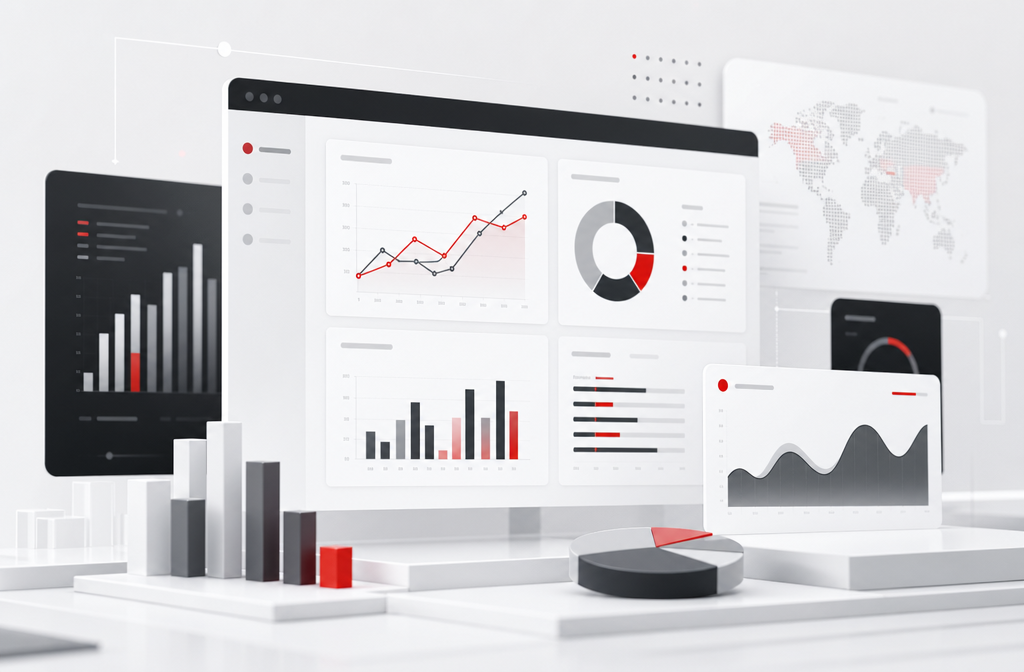
BI stands for Business Intelligence. BI software is a system that brings together data from a company's various systems, turns it into dashboards, reports, and charts, and helps managers make decisions with data.
The core of BI is not to replace existing systems but to integrate and present data on top of them. It turns data that was scattered across ERP, CRM, and spreadsheets into visual information that can be understood at a glance.
Common core functions and terms
Before understanding BI, a few terms help. A data source is a system the BI connects to in order to obtain data. A data model is the structure into which data is organised for analysis. A dashboard is a visual screen that presents several metrics together.
In core functions, BI software usually includes data connection, data model building, visual dashboards, interactive reports, and self-service analysis that lets users explore data themselves. The functional scope varies by solution.
How BI is used in companies
Take a company as an example. Before BI, the monthly sales report had to be produced by staff exporting data from ERP and CRM and reworking it in a spreadsheet, which was slow and error-prone, and managers often waited several days to see the figures.
After BI, data updates automatically from each system, and dashboards present the latest sales, cost, and inventory at any time. Managers can see the data in real time, and discussion shifts from each person citing their own numbers to everyone working from the same data.
The benefits of BI
The benefits of BI are reducing manual report preparation, making data visible in real time, letting different departments discuss from the same data, and giving decisions a firmer basis. For a company that values data, these benefits are clear.
BI also helps a company spot issues earlier. When a dashboard shows a metric moving in an unexpected direction, a manager can drill into the detail and act, rather than discovering the problem only when a periodic report is compiled.
The limitations of BI
The limitations need to be faced honestly. BI integrates and presents data, but it does not correct data quality problems; if the source data is disorganised, the reports are equally untrustworthy. BI is not a substitute for clean data.
The value of BI also depends on the organisation being willing to look at and discuss data; without that culture, even a good dashboard is ignored. At implementation, drive both data organisation and the habit of use, rather than expecting the tool to deliver on its own.
How BI differs from related concepts
BI is often confused with a few related concepts, and understanding the differences helps clarify what a company actually needs. BI differs from ordinary reports: traditional reports are mostly fixed-format outputs produced by a system, while BI emphasises interactive exploration and the integration of data across systems.
BI is also often mentioned alongside a data warehouse — a data warehouse is the back-end foundation that organises and stores data, while BI is the front end that presents and analyses it. BI also differs from advanced data analysis or prediction: BI focuses on presenting what has happened and understanding the current situation, while advanced analysis focuses on prediction and more complex modelling. For most companies, the starting point is to get the BI foundation right first.
Which companies are suited to adopting it
Generally, the benefit of BI is clearest for companies whose data is scattered across multiple systems, where manual report preparation has become a noticeable burden, or whose management wants to make decisions with data.
A company with simple data sources, where existing system reports are already sufficient, may not need a separate BI. Whether to adopt BI should be judged by the complexity of the analysis need and the burden of manual report preparation.
How BI turns scattered data into decisions
To understand BI in practical terms, it helps to follow data through the system. BI connects to the company's data sources — ERP, CRM, spreadsheets — and brings their data together into a structure organised for analysis.
That organised data is then presented as dashboards and interactive reports. A manager looking at a sales dashboard can see the overall figure, filter by region or product, and drill into the detail behind an unusual number, all without exporting and reworking data by hand. The data refreshes from the source systems, so the picture stays current.
This is the difference between data scattered across systems and data brought together by BI. Scattered, the data answers questions slowly and inconsistently; brought together, it answers them quickly and from a single, shared source.
Common misconceptions when adopting BI
Companies evaluating BI for the first time tend to hold a few misconceptions, and understanding them keeps expectations realistic.
The first is assuming that adopting BI automatically produces accurate insight. BI integrates and presents data, but if the data quality is poor, the reports are equally untrustworthy. The second is assuming that once the tool is bought, departments will start using data on their own; in practice the organisation's habit of use has to be driven.
The third is underestimating the data organisation effort. Turning data scattered across systems, with inconsistent definitions, into an analysable state is often more demanding than choosing the tool itself. Building data organisation into the implementation plan is what lets BI genuinely deliver value.
Implementation considerations for BI
A company considering BI should be realistic about the implementation effort. The groundwork — organising data so it is consistent and analysable — is substantial and should be treated as a core part of the project rather than an afterthought.
Starting on a small scale reduces risk. Addressing one clear analysis need first, producing a few useful dashboards, and letting users see the value, before widening the scope, is more effective than building dozens of dashboards no one yet uses.
Driving the habit of use is equally important. BI delivers value only when the organisation looks at and discusses data, so naming an owner and weaving dashboards into regular meetings are part of the implementation, not optional extras.
BI and a data-driven culture
A BI tool is most effective where it supports an existing intention to use data well, rather than being expected to create that intention. The tool makes data visible and explorable, but the value of that visibility depends on the organisation genuinely using it.
Where dashboards are referenced in decisions, where discussions start from shared data rather than individual impressions, and where users understand the metrics they look at, BI becomes part of how the company works. Where those conditions are absent, even a capable BI tool becomes a set of unused dashboards. This is why the data organisation, the rollout, and the ongoing driving of use matter as much as the choice of software.
Explore the products
Key takeaways
BI is a system that integrates data and presents it visually, and its core value is reducing manual report preparation and making data visible in real time. Its effect depends on data quality and the organisation's analysis culture, so the data organisation and the driving of use at implementation matter as much as the tool itself.
Recommended Services
Looker
Looker is a data platform and business intelligence tool from Google Cloud that uses a proprietary modelling language (LookML) to define data metrics centrally and deliver governed analytics.
Microsoft Power BI
Microsoft Power BI is a self-service business intelligence platform that enables business users to create interactive dashboards and reports by connecting to hundreds of data sources.
MicroStrategy
MicroStrategy is an enterprise business intelligence platform offering large-scale reporting, dashboards, mobile BI, and embedded analytics for global organisations.
Qlik Sense
Qlik Sense is a business intelligence platform built on an associative analytics engine that allows users to explore data relationships freely without predefined query paths.
Tableau
Tableau is a leading data visualisation and business intelligence platform known for its intuitive drag-and-drop interface and powerful visual analytics capabilities.
Feature Comparison
| Products | Pricing | Interactive Dashboards | Self-Service Analytics | Data Connectivity | Mobile Reporting | AI-Powered Insights | Official Website |
|---|---|---|---|---|---|---|---|
| Custom quote | ✓ | ✓ | ✓ | ✓ | ✓ | Official Website | |
| Custom quote | ✓ | ✓ | ✓ | ✓ | ✓ | Official Website | |
| Custom quote | ✓ | ✓ | ✓ | ✓ | ✓ | Official Website | |
| Custom quote | ✓ | ✓ | ✓ | ✓ | ✓ | Official Website | |
| Custom quote | ✓ | ✓ | ✓ | ✓ | ✓ | Official Website |
Frequently Asked Questions
IT Trend Editorial Team
We are a team of technology experts dedicated to helping businesses find the right software solutions. Our editorial team reviews, compares, and evaluates B2B SaaS products across multiple categories to provide unbiased, data-driven recommendations.
About our editorial team →